
Download No Watermark Video Downloader – Free Android Video Downloader, TikTok, Instagram, Snapchat, Facebook
Overview
The No Watermark Video Downloader is a free Android application designed to help users save videos from popular social media platforms such as Instagram, TikTok, Snapchat, and Facebook directly to their device’s gallery. The primary purpose of the app is to allow quick and hassle-free video downloads without adding watermarks, ads, or requiring user registration. It caters to general consumers who frequently browse social media and wish to preserve content for personal use.
The app is developed by Status Wala, a company that focuses on lightweight, user-friendly tools for mobile users. Its core functionality centers around one-tap video saving, making it ideal for casual users who value simplicity and speed. Real-world usage scenarios include saving memorable moments from friends’ posts, preserving viral videos, or archiving content for offline viewing.
The app operates entirely on the device, with no cloud dependency, ensuring privacy and immediate access to downloaded files. The developer did not provide additional system requirements or detailed technical specifications.
Key Features & Capabilities
- One-Tap Video Download – Users can save any video they view on supported platforms with a single tap, eliminating complex workflows.
- Watermark-Free Output – All downloaded videos are saved without any branding or watermarks, preserving the original quality.
- High-Quality Preservation – Videos are downloaded in the same resolution as the source content, ensuring HD or high-quality output.
- Zero Registration Required – No account creation, phone number, email, or personal information is needed to use the app.
- Multiple Platform Support – Compatible with major social media apps including TikTok, Instagram, Snapchat, and Facebook.
- Privacy-Focused Design – The app does not collect user data or share information with third parties.
These features are particularly useful for users who want to archive content without relying on official download tools. For example, a user watching a TikTok video of a dance challenge can instantly save it to their gallery for later practice. Similarly, a family member sharing a birthday video on Facebook can be preserved without the need for screen recording. The app’s design prioritizes accessibility and efficiency, making it suitable for users of all technical skill levels. The developer did not specify advanced customization options or batch download functionality.
User Interface, Workflow & Performance
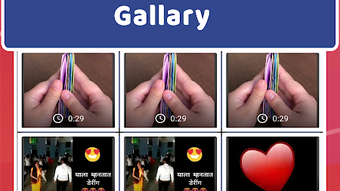
The user interface of No Watermark Video Downloader is described as clean and modern, with a minimal layout focused on core functionality. Navigation is straightforward, relying on a single button or gesture to initiate downloads. The workflow is streamlined: open the video on a supported platform, copy the link, and paste it into the app to begin the download process.
This simplicity reduces the learning curve and enhances usability. Performance observations are based on general software behavior patterns, as no official benchmarks or resource usage data were provided. The app is expected to operate efficiently on modern Android devices, though exact CPU or RAM behavior remains unspecified.
Stability is assumed to be consistent given the app’s lightweight nature, but no detailed information was shared about crash rates or background performance. The developer did not specify whether the app runs in the background or supports offline mode.
Compatibility & System Requirements
The app is designed for Android devices and is available for download on the Google Play Store. It is compatible with Android operating systems, though the specific version range was not listed. Installation size is not disclosed, and no hardware requirements were mentioned.
The developer did not provide details on minimum screen resolution, processor type, or storage space needed. Compatibility information was partially provided, and users are advised to check the app’s official page for updated system requirements. The app is updated regularly to support new platforms and features, suggesting ongoing maintenance and adaptability to evolving social media environments.
Pros and Cons
Pros
- Completely free to use with no hidden costs
- One-tap download process for quick access
- Watermark-free and high-quality video output
- No registration or personal data required
- Supports multiple popular social media platforms
- Designed with privacy and simplicity in mind
Cons
- No official information on system requirements or device compatibility
- Performance and resource usage details were not specified
- Only available for Android, with no support for iOS or desktop platforms
- Exact update frequency and version history are not publicly documented
- Limited to video downloads, with no additional media management tools
FAQ Section
Is No Watermark Video Downloader safe to use?
The app is described as secure and does not require personal information. However, users should ensure they download it from official sources to avoid potential risks.
Does the app work on iOS devices?
Currently, the app is only available for Android. There is no official support for iOS or desktop platforms.
Do I need to sign up to use the app?
No, the app does not require any registration, account creation, or personal details such as email or phone number.
Can I download videos in HD quality?
Yes, the app preserves the original quality of the video, downloading it in HD or high quality as displayed on the source platform.
How often is the app updated?
The developer states that the app is updated regularly to support new platforms and features, though exact update intervals are not specified.
Final Thoughts + CTA
No Watermark Video Downloader offers a straightforward, privacy-focused solution for users seeking to save videos from social media without complications. Its one-tap functionality, lack of registration, and watermark-free output make it a compelling choice for casual Android users. While detailed technical information is limited, the app’s core purpose is clearly fulfilled with minimal friction.
It is best suited for individuals who prioritize ease of use and data privacy. For those looking to download TikTok, Instagram, Snapchat, or Facebook videos quickly and securely, this tool delivers on its promises. Download No Watermark Video Downloader now and enjoy saving your favorite videos without any hassle.






.png)
